
Small businesses lose revenue and efficiency by managing customer relationships through Excel. A CRM automates critical tasks, centralizes data, and delivers proven ROI – with 71% of small businesses already making the switch to scale smarter.
Introduction: The Hidden Cost of Spreadsheet Management
Small business owners already do everything, so keeping messy spreadsheets in check rarely makes the priority list. Yet many still use Excel to track customers, and it quietly drains time and money.
Most companies have already moved on: 73% use a CRM, and 71% of small businesses rely on it to stay organized and automate follow-ups. Sticking with Excel means version issues, lost data, no automation, and missed sales.
With the CRM market set to hit $262 billion by 2032, one thing is clear: a CRM isn’t optional anymore. It’s how small businesses stay competitive.
Why Excel Fails Small Businesses (And Your Data Knows It)
The Limitations of Spreadsheets at Scale
Excel is great for numbers, but it was never meant to run your business. When you use it like a CRM, the cracks show fast.
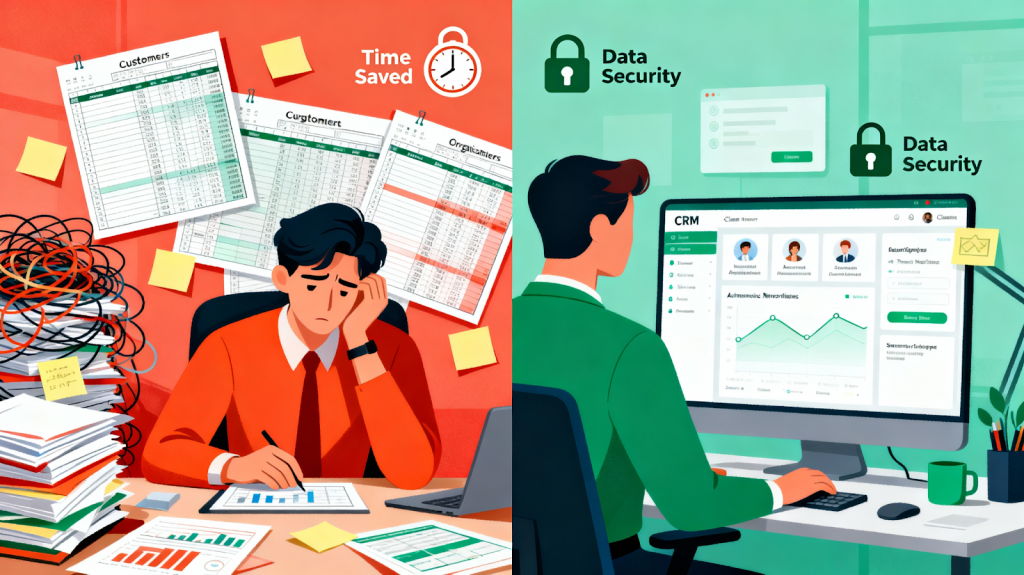
Everything becomes manual. Every follow-up, every update, every lead has to be typed in by hand. That’s why nearly 9 out of 10 spreadsheets contain mistakes – small errors that turn into big problems as your team grows. And when multiple people edit the same file, things get messy: duplicate entries, outdated info, and lost updates.
Security is another issue. Excel files can be copied, emailed, or downloaded anywhere, with no real protection. For businesses handling customer data, that’s a serious risk. One breach can cost a small company hundreds of thousands of dollars.
And as you scale, Excel slows you down. Large files lag, formulas break, and nothing integrates. Your sales data sits in one place, marketing in another, finance somewhere else – none of it talking to each other.
CRMs solve all of this by design. Excel simply wasn’t built for it.
The CRM Advantage: Centralized Intelligence for Small Businesses
Unified Customer Data and 360-Degree Visibility
A CRM’s biggest win is putting all your customer info in one place. No scattered spreadsheets – every email, call, purchase, and support request is easy to find. Your team gets a full picture of each customer instantly.
This makes decision-making faster and smarter. When someone calls, your team already knows their history, past issues, and whether they’re ready for an upsell. That kind of context boosts satisfaction and improves sales accuracy.
For small teams, it’s a lifesaver. Instead of wasting 30 minutes digging through emails and notes, your reps get instant clarity – and can spend that time actually selling.

Automation: The Time Machine for Your Team
Automation is where a CRM really feels like a time saver. Sales teams often lose 10+ hours a week on follow-ups, logging calls, and updating sheets. A CRM handles this for you; capturing leads automatically, scoring them based on interest, sending emails, and reminding your team when to follow up. Nothing gets missed, and your team focuses on real opportunities. For most small businesses, this saves 5–10 hours a week and boosts sales performance.
Real-World Impact: A Mini Case Study
Take a small digital agency as an example. They used Google Sheets and emails to track everything, and things fell apart whenever someone took time off. After switching to HubSpot CRM, they automated lead nurturing and centralized their workflows. In just 60 days, they cut admin work by 25%, sped up projects, and improved client retention by 20% because follow-ups finally became consistent.
Excel vs. CRM: A Transparent Comparison
To understand why CRM adoption is accelerating, here’s how they stack up:
| Feature | Excel | CRM |
| Data Entry & Updates | Manual, error-prone, time-consuming | Automated, real-time, integrated |
| Reporting & Analytics | Basic charts, limited insights | Advanced dashboards, predictive analytics, AI insights |
| Collaboration | Version conflicts, lost updates, confusion | Real-time updates, shared visibility, no conflicts |
| Security | Minimal—no encryption, easily shared | Enterprise-grade—encryption, role-based access, audit trails |
| Scalability | Performance degrades with data volume | Handles millions of records effortlessly |
| Lead Tracking | Manual updates only | Automatic tracking of all interactions |
| Customer Interactions | Scattered across emails and notes | Unified timeline of all touchpoints |
| Integration | Difficult, manual data transfer | Seamless with marketing, support, accounting tools |
| ROI | None—costs time and risks data | $8.71 return per dollar spent |
The Revenue Impact: Why CRM ROI Is Undeniable
The financial upside of using a CRM is hard to ignore. Companies see higher sales, better productivity, and more accurate forecasts; these are real results proven across thousands of businesses. Most small businesses earn back their CRM investment in about a year, and many see improvements within just a few months. Even a company making $1M a year could add nearly $300K in extra revenue from CRM-driven efficiency, while paying only a few thousand dollars for the tool.
CRMs also help every part of the business run more smoothly. Sales teams close more, customer retention improves, marketing becomes easier to measure, and support teams resolve issues faster. It’s one tool that lifts the entire operation.
AI Is Transforming CRM Into a Predictive Powerhouse
AI in CRM: The New Advantage
AI is transforming CRM tools, and most businesses are already using it. Even small companies now get access to features that used to be enterprise-only.
Predictive Analytics & Lead Scoring
AI studies past customer behavior and predicts which leads are most likely to buy. Your team instantly knows who to prioritize, instead of guessing. High-intent leads get fast attention, while low-intent ones are nurtured automatically.
Sentiment Analysis
AI can read the tone of customer emails, chats, and messages. If someone sounds frustrated, it alerts your team so you can step in before you lose them.
AI Meeting Notes & Email Drafts
Modern CRMs can auto-summarize meetings, pull out action items, and draft follow-up emails. Your team saves time and stays focused on selling, not typing.

Choosing the Right CRM for Your Small Business
Not every CRM fits every business. Here’s a simple way to choose:
If you’re a startup on a budget:
HubSpot’s free plan is a great starting point. It’s easy to use, integrates well with marketing tools, and many small businesses get started here.
If you want affordability with more power:
Zoho CRM is low-cost and very flexible. It’s great for teams that need deeper automation or multiple connected apps.
If you’re growing fast and need enterprise-level tools:
Salesforce is the most customizable option, but it costs more and needs some technical know-how.
If you want something simple for team collaboration:
Nimble focuses on contact management with social insights and reminders, without feeling heavy.
Bottom line: pick a CRM that fits your needs today. Many small businesses start with HubSpot, upgrade as they grow, and only move to Salesforce when they reach bigger revenue milestones.
Conclusion: The Time to Move Beyond Excel Is Now
Choosing between Excel and a CRM isn’t really a choice anymore. Sticking to spreadsheets means lost revenue, security risks, and hours wasted on tasks that could be automated.
The CRM market is exploding because early adopters grow faster, retain customers better, and make smarter decisions. And getting started is easier than ever—tools like HubSpot and Zoho can be set up in days with very little training.
If you’re still managing customers in Excel, now’s the time to switch. Pick a CRM, set it up this month, and start saving hours every week. The businesses winning today are the ones spending time selling, not cleaning spreadsheets.
Source URLs:
- https://www.freshworks.com/theworks/company-news/crm-statistics/
- https://www.kixie.com/sales-blog/crm-statistics-and-market-insights-for-2025/
- https://capsulecrm.com/blog/crm-vs-excel-which-is-better/
- https://www.nutshell.com/blog/crm-stats
- https://crm.org/crmland/crm-statistics
- https://tech.co/crm-software/crm-statistics
- https://monday.com/blog/crm-and-sales/crm-with-ai/